AIR TAKE — PLAYOUT SOFTWARE FOR MAC

Images. Video.
Live graphics.
Ready to take.

SDI from ¥980/month · SRT from ¥1,980/month

Two editions, chosen by what you need: AIR TAKE 1 / AIR TAKE 2

Play out images, videos and lower thirds from your Mac to event screens, live streams and switchers, one keystroke at a time. Fill and key over SDI, one-click chroma key and transparent NDI to OBS. AIR TAKE 2 adds SRT output, NDI/SRT video input and control from an iPad.※9※10

The free trial includes every feature (output is watermarked with an ×). AIR TAKE 2 requires a Mac with Apple silicon and macOS 15 or later. On an Intel Mac, use the AIR TAKE 1 trial.
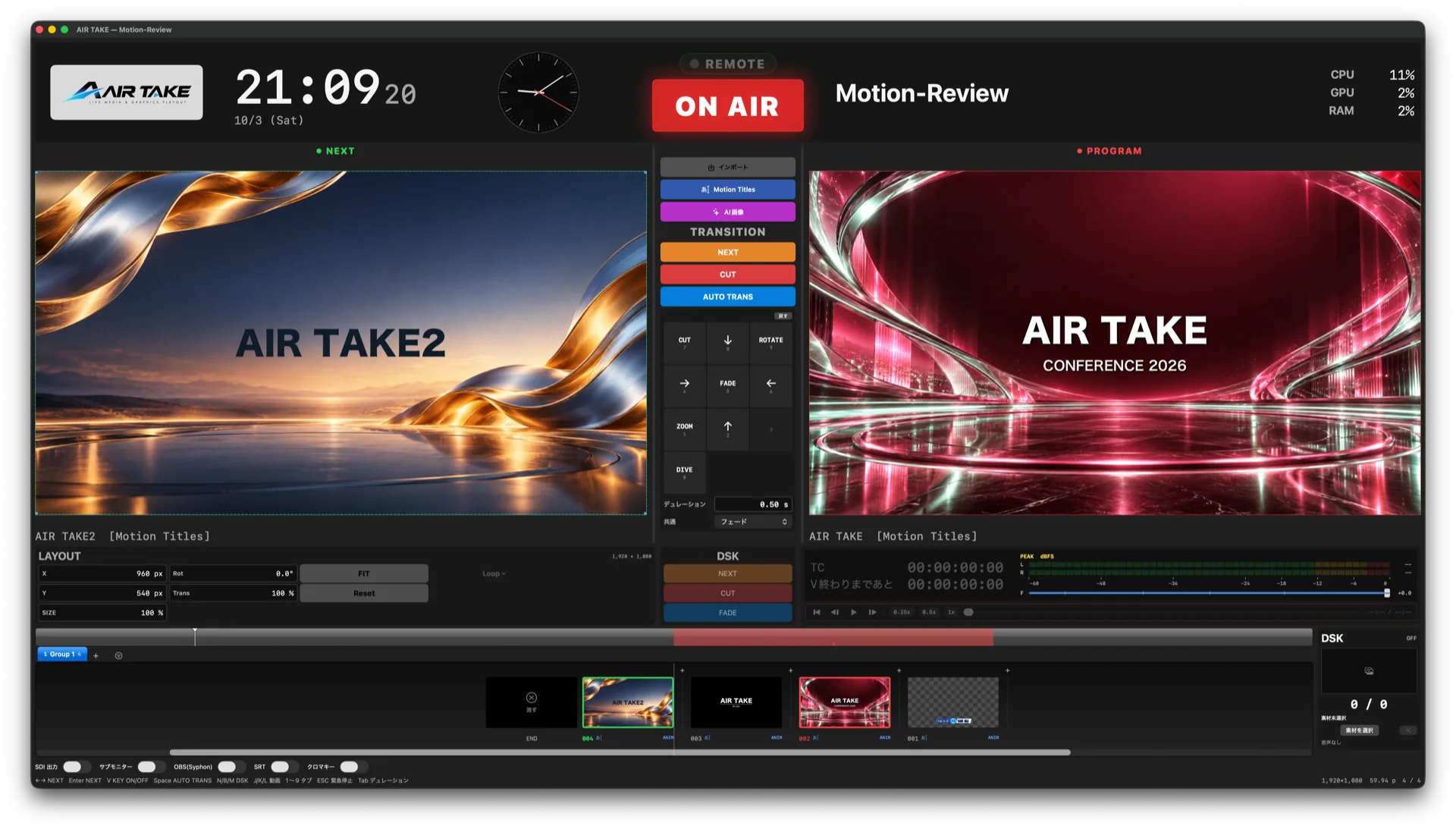
ON AIR The AIR TAKE main window: NEXT and PROGRAM.
¥980 / MOAIR TAKE 1 monthly, or ¥9,800 one-time
FILL & KEYSeparate fill and key over SDI with DeckLink※2
SRTH.264/AAC with AES encryption to a remote site (AIR TAKE 2)※9
iPadControl from the free AIR TAKE Remote app (AIR TAKE 2)※11
IMAGE & VIDEO PLAYOUT

Image, video and lower-third playout, timed to your show.

Playout means sending prepared media to air at the moment you choose. AIR TAKE combines media preparation, NEXT preview and keyboard control in one Mac app.

Event screens and live shows

Arrange logos, images and movies in show order, check NEXT and send them to the screen at your cue. Use tabs and markers for each segment. Keyboard playout controls.

Transparent graphics for OBS

Send lower thirds with alpha and audio over NDI, or use Syphon with the website edition on the same Mac. Compare output connections.

SDI fill and key for switchers

Use supported DeckLink hardware for separate fill and key feeds. AIR TAKE 2 also sends PROGRAM to remote receivers over SRT. Formats and system requirements.

EDITIONS

CHOOSE BY YOUR OUTPUTSPick the edition that fits your outputs.

AIR TAKE 1

SDI / CHROMA KEY / OBSTo the switcher in the room and OBS

¥980 / monthor ¥9,800 one-time

Fill and key over SDI to your switcher, one-click chroma key from the second display, and transparent NDI or Syphon to OBS (Syphon in the direct-download version only). Runs on Apple silicon and Intel Macs.

AIR TAKE 2

+ SRT / IP INPUT / iPadRemote sites, IP and iPad control

¥1,980 / monthor ¥39,800 one-time

Includes every AIR TAKE 1 feature, plus SRT output, NDI/SRT video input, iPad control, vertical and 8K canvases, and lower thirds from CSV/JSON. Requires a Mac with Apple silicon.

AIR TAKE 2

SEND, RECEIVE, CONTROL OVER IPSend, receive and control—over the network.

Not just SDI to the switcher in the room: to a remote site, a streaming service, or another AIR TAKE. AIR TAKE 2 connects playout, input and control over your network.

01 / SRT OUT

REMOTE CONTRIBUTIONSend over SRT

Encode PROGRAM to H.264/AAC in MPEG-TS and send it over SRT—with AES encryption and Stream ID—to a remote site or a streaming service.※9

02 / IP INPUT

NDI / SRT INLayer on any feed

Receive an NDI or SRT feed as the PROGRAM background and put your graphics and DSK on top. Chain several AIR TAKE systems in a cascade, or aggregate them into one.※10

03 / iPAD REMOTE

AIR TAKE REMOTETake from an iPad

With the free AIR TAKE Remote app: NEXT, CUT and AUTO, DSK, choosing NEXT and switching groups. It never takes if your iPad is out of sync with the Mac.※11

04 / VERTICAL & 8K

ANY CANVASVertical and 8K canvases

1080×1920 vertical, 1080×1350, 1080×1080, custom sizes, up to UHD 8K. NDI keeps the canvas's own resolution. Its frame rate is halved under the simultaneous-output conditions described below.※3

05 / DATA IMPORT

CSV / JSONLower thirds from a spreadsheet

Pour a CSV/TSV sheet or a JSON API into a template and create up to 500 lower thirds at once—names, titles, results.

06 / CONTROL

ORDER & APIOutput priority and external control

SDI has priority whenever it is running. Without SDI, outputs keep the order in which you turned them on. Take, panic and switch SRT on or off from the browser control page or any device or software that can send HTTP requests.

MOTION TITLES — AIR TAKE 2

TITLES THAT MOVE, READY TO TAKEAnimated titles:
pick, type, take.

Type your text, choose a genre and an animation. No keyframes. Save it and the finished thumbnail lands in the clip strip, ready to go NEXT → TAKE like any still or movie.
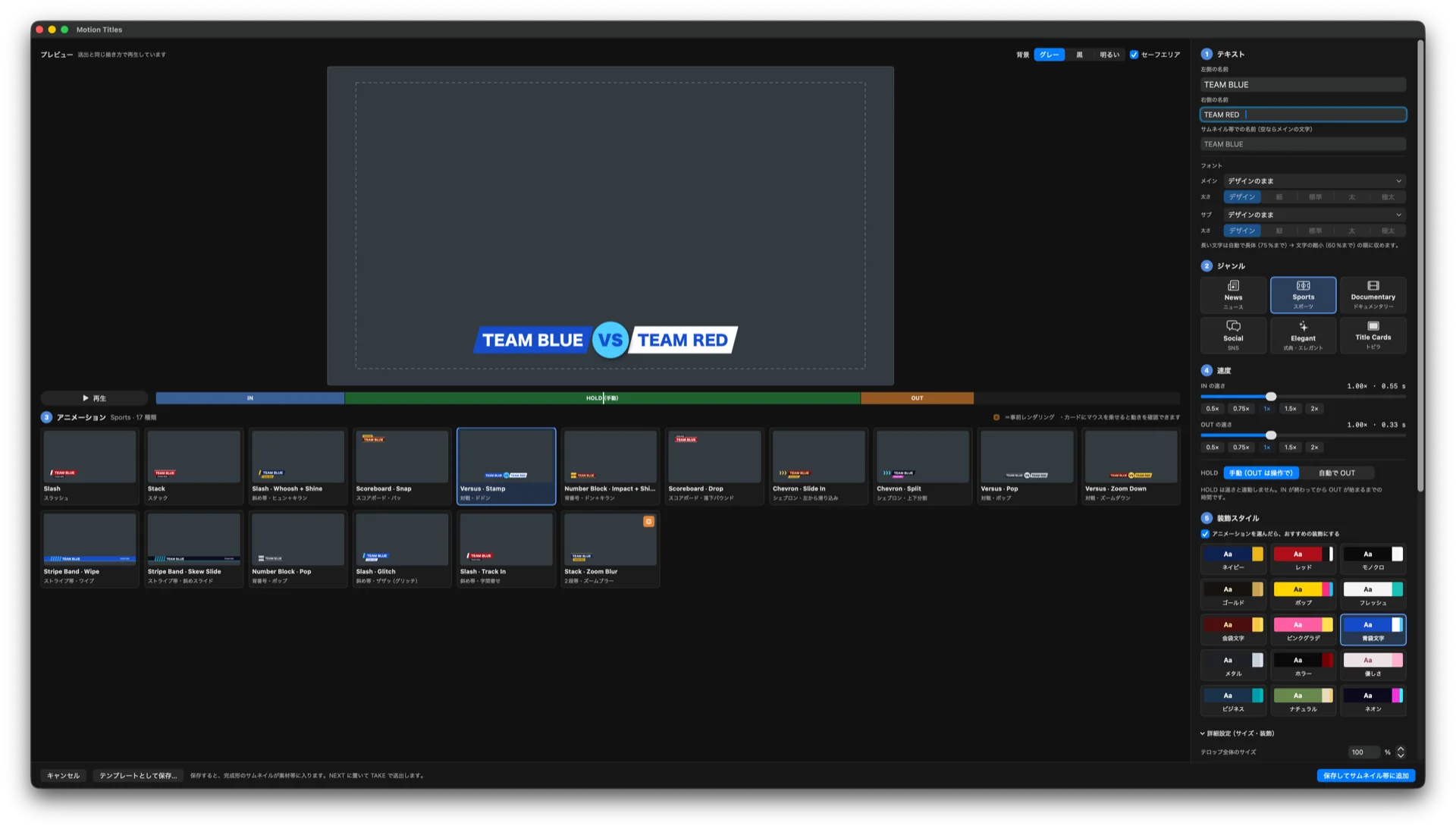
  • 116 animations across 6 genres: News, Sports, Documentary, Social, Elegant and Title Cards
  • Layered entrances (bar, then main, then sub) and a dedicated brisk OUT; overshoot is small and settles once
  • IN and OUT speed (0.5–2×) set separately from HOLD; HOLD is manual or a timed auto-OUT
  • 15 decoration styles, including multi-band gold and silver, bevels and layered outlines
  • Choose the typeface and weight; size, color and outline for main and sub separately; overall size 25–200%
  • Long Japanese text fits automatically (condensed to 75%, then scaled to 60%). Versus keeps both names in the same typeface and size
  • The preview draws exactly like playout. Heavy blurred moves are pre-rendered, with a status icon
The Motion Titles editor: a TEAM BLUE VS TEAM RED title in the preview, the animation list below, and text, genre, speed and style settings on the right.
The editor. Nothing you change here reaches PROGRAM until you take it.
BACKGROUND TEMPLATES — AIR TAKE 2

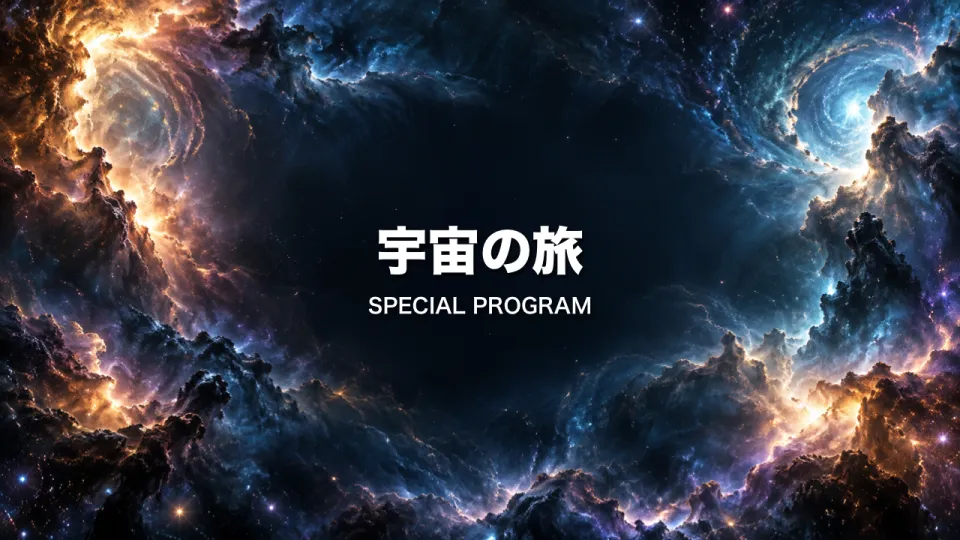
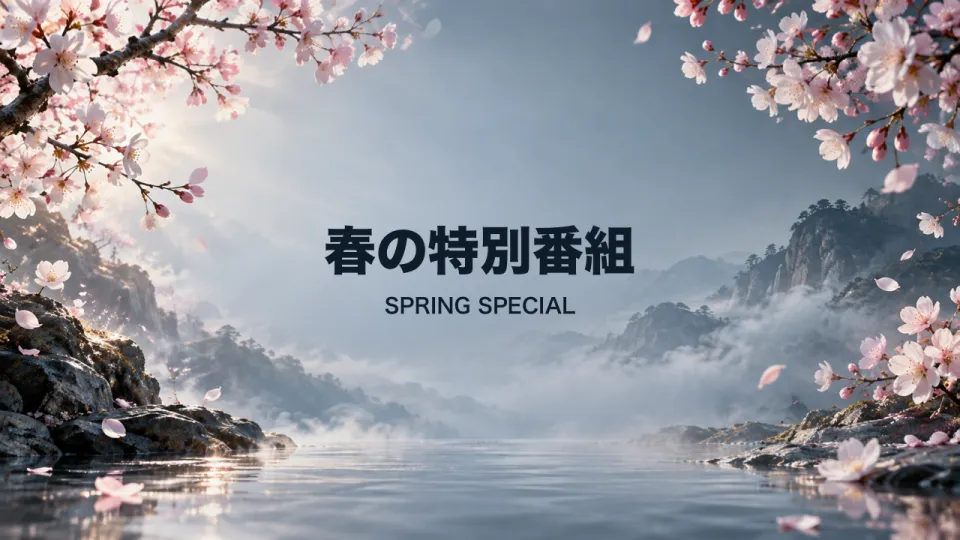
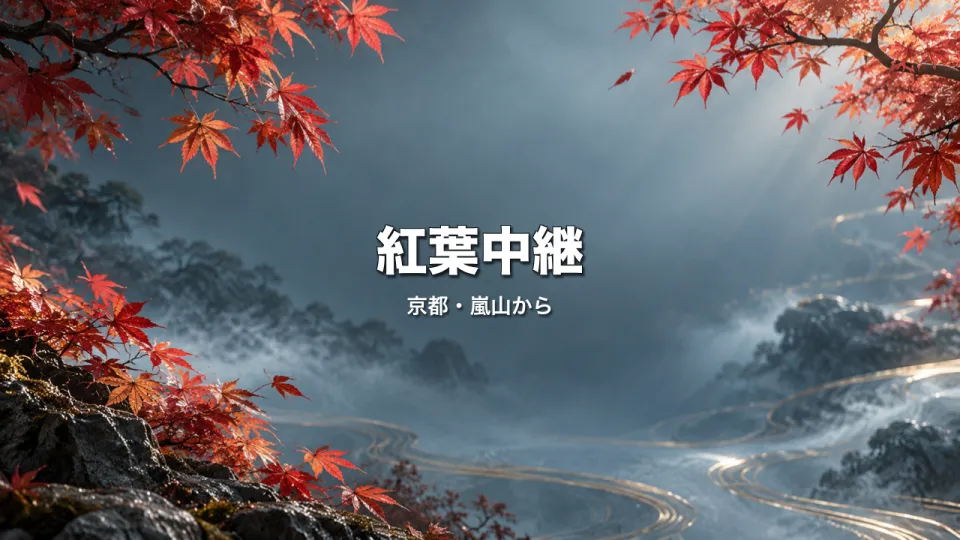
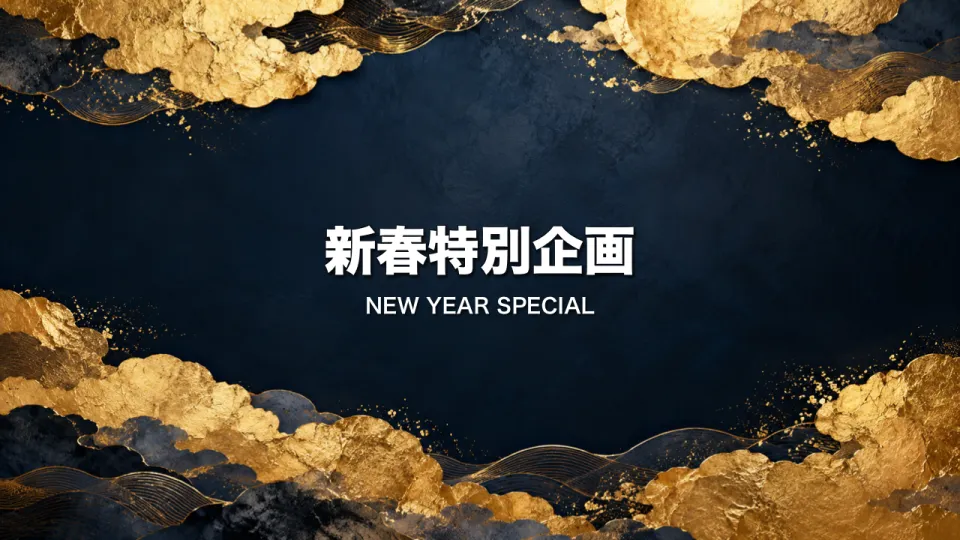
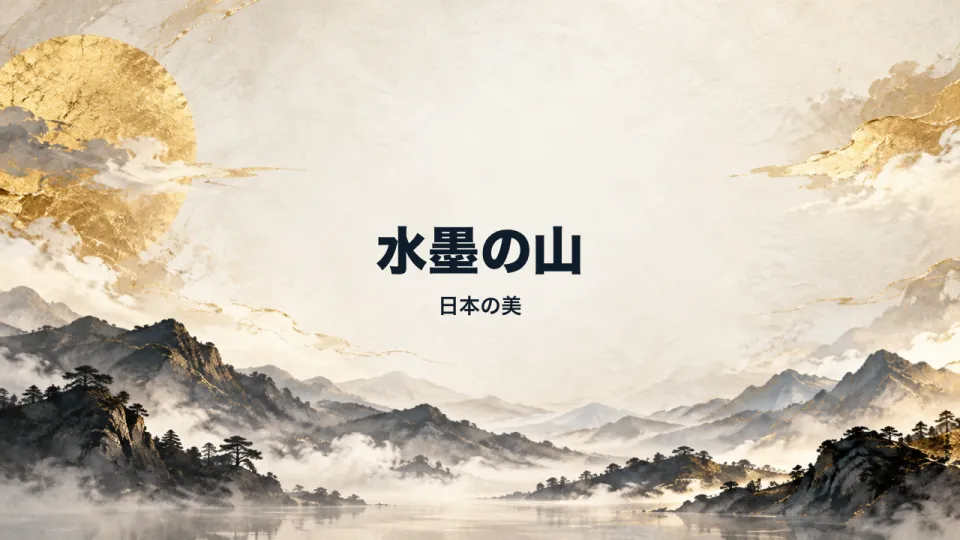
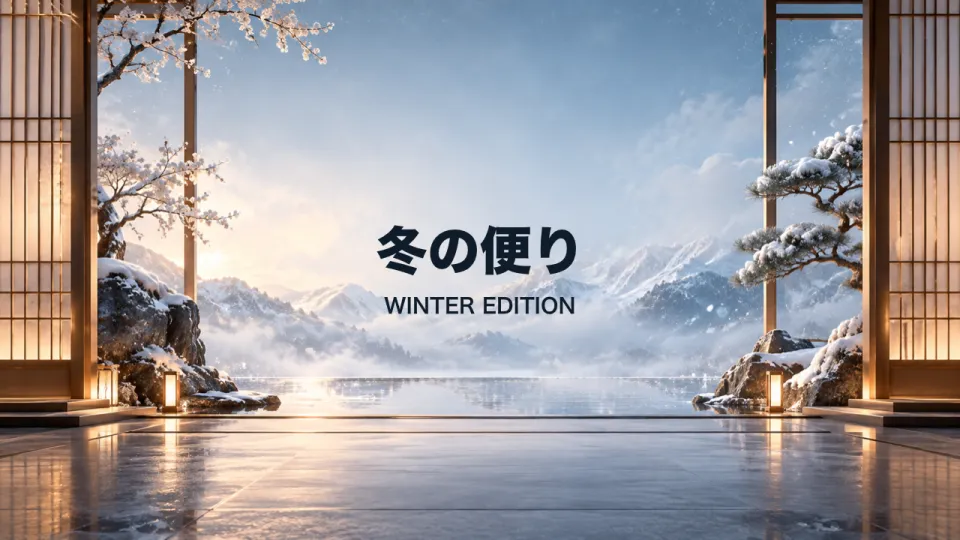
100 BEAUTIFUL BACKDROPS, BUILT IN100 beautiful background
templates, built in.

For show titles, openings and segment cards: 100 templates that pair a full-screen background still with a title and subtitle. Change the words and they are ready for air.
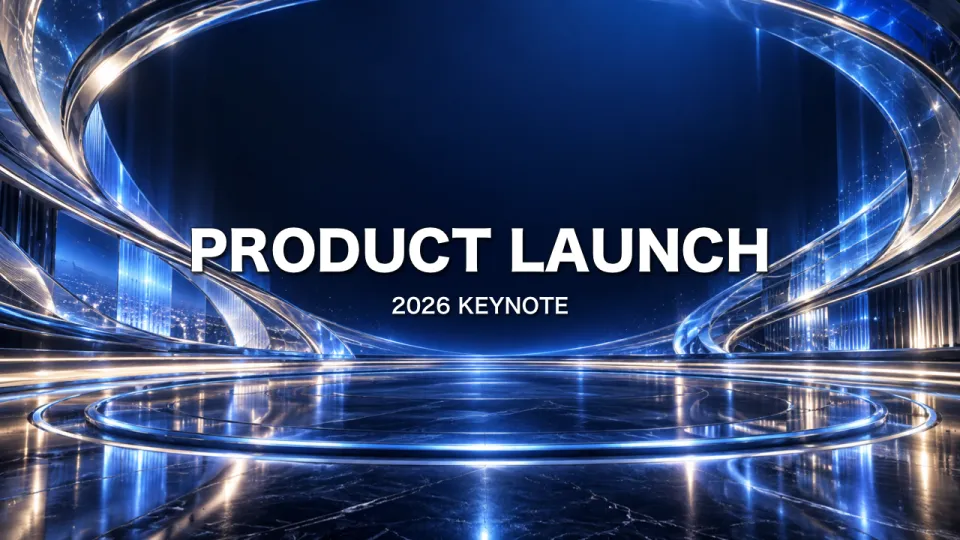
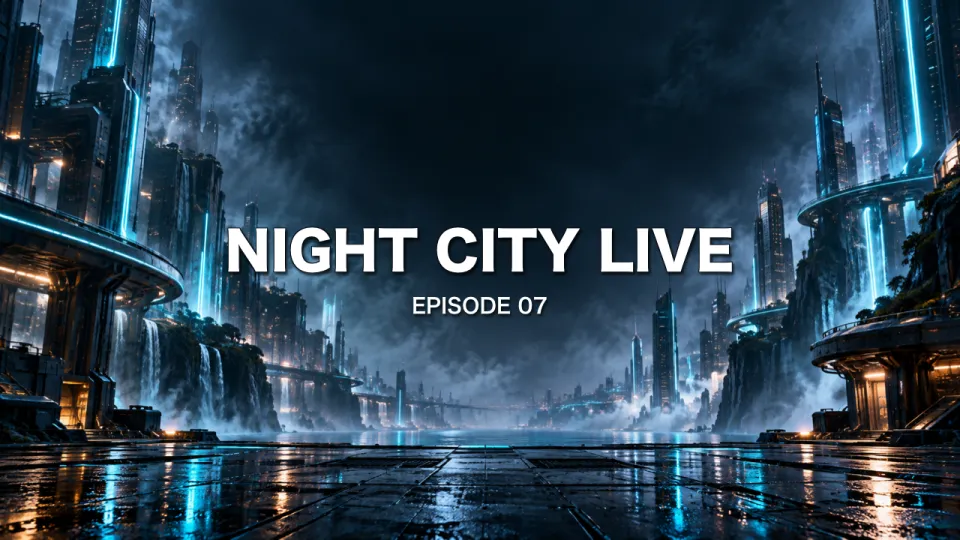
100background templates 50modern 50Japanese 23categories
AIR TAKE on air, with background-template titles in NEXT and PROGRAM.
Background-template titles go NEXT → PROGRAM like any other clip.
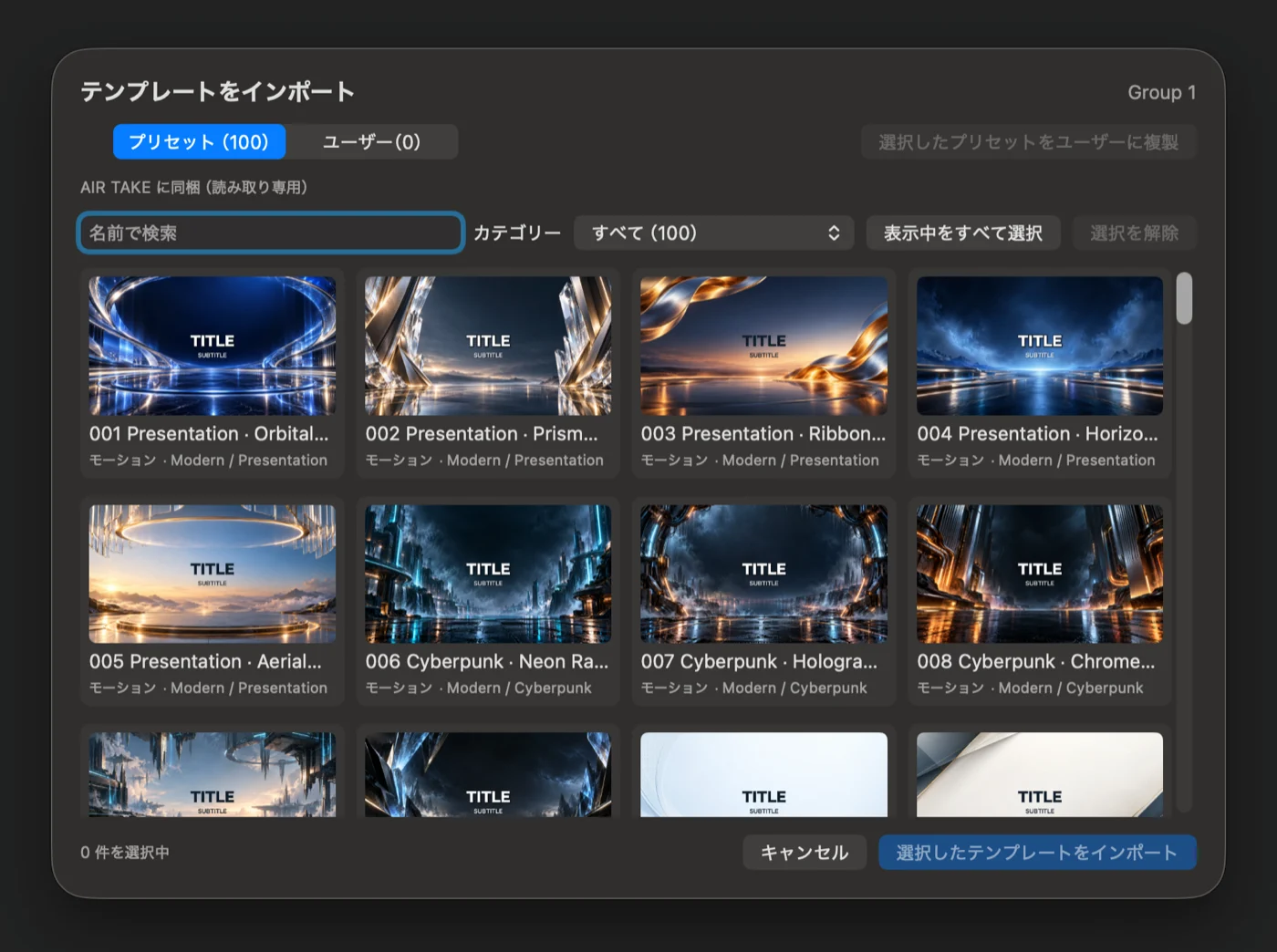
The template import window: 100 presets as thumbnails, with name search and a category filter.
Find templates by category or name, and load only the ones a show needs.
MAKE IT YOURS

EDITABLE, NOT JUST WALLPAPEREdit the words
and the backdrop.

Background templates are Motion Titles. Change the text, typeface, colors or animation and the background stays as it is.

  • Modern (presentation, cyberpunk, galaxy, fairy tale, ceremony, nature and more) and Japanese (ink painting, washi, kumiko, urushi, textiles and the four seasons)
  • Rotate the background hue to match your show; text and decoration colors stay separate
  • Background-only slow zoom, gentle pan and float effects that keep moving through HOLD, with no edges showing
  • Use your own PNG or JPEG as a background; the image is embedded, so templates travel safely
  • Save your own templates under User; built-in presets stay untouched and can be duplicated
  • Templates are loaded per show tab, only the ones you pick
TEMPLATE CREATION — AIR TAKE 2

Create templates, then take them live.

AIR TAKE 2 supports prepared media and graphics you build yourself. Keep editing in the template workspace, then check the saved graphic in NEXT before taking it to PROGRAM.

Still and motion templates

Create static graphics or choose from 116 motion presets in six genres. Set IN, HOLD and OUT separately.

Node-based graphics

Combine text, images, masks and effects. Use keyframes for animation, including particles and lens flares.

16 news templates

Ready-to-edit news designs with an icon, two-tier bars and a staged reveal. These are included alongside the 100 modern and Japanese background templates.

Share original templates

Group your own templates and import or export them as a template package.

Sync user templates

Choose a shared iCloud Drive folder to share user templates. Projects and media files are not synced, and deletions do not propagate to other devices.

Batch-create lower thirds

Use CSV, TSV or JSON to fill template fields and create up to 500 graphics in one import.

SRT OUTPUT — AIR TAKE 2

SEND THE SHOW ANYWHEREYour PROGRAM, graphics and all,
at a remote site.

Send PROGRAM—video and audio—to an SRT listener: a streaming service, a receiver, another location. Watch connection state, sent fps, drops and reconnects as you go.※9
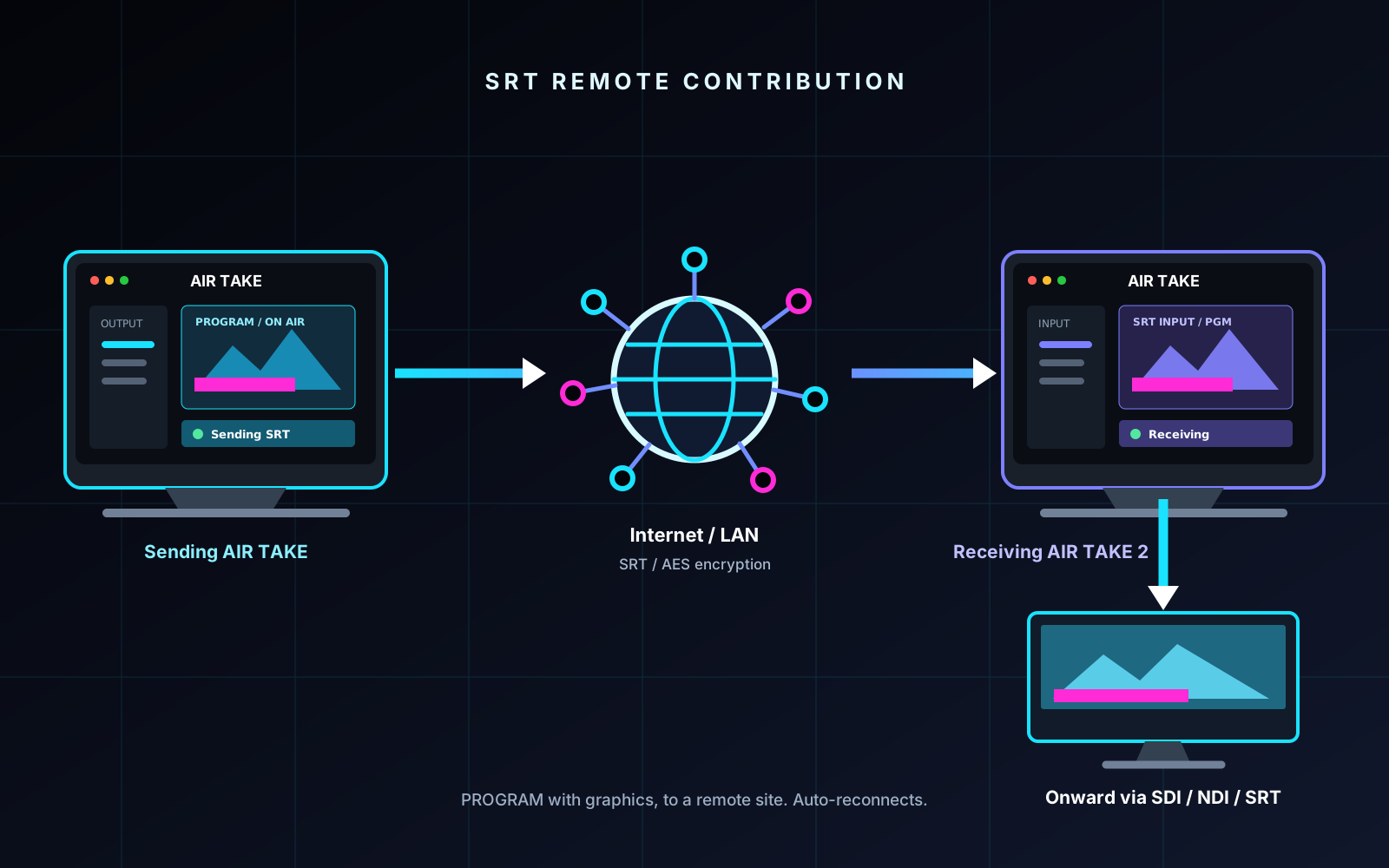
  • H.264 Main + AAC-LC 48 kHz (MPEG-TS), SRT caller
  • 24 / 29.97 / 30 / 59.94 / 60 fps
  • AES encryption and Stream ID; paste an SRT URL to set everything up
  • Latency presets (LAN 120 / domestic 300 / overseas 800 ms)
  • If the connection drops, keeps reconnecting automatically until it's back
AIR TAKE 2 sending PROGRAM over SRT to a remote receiver
SRT carries your PROGRAM, graphics included, to the remote receiver.
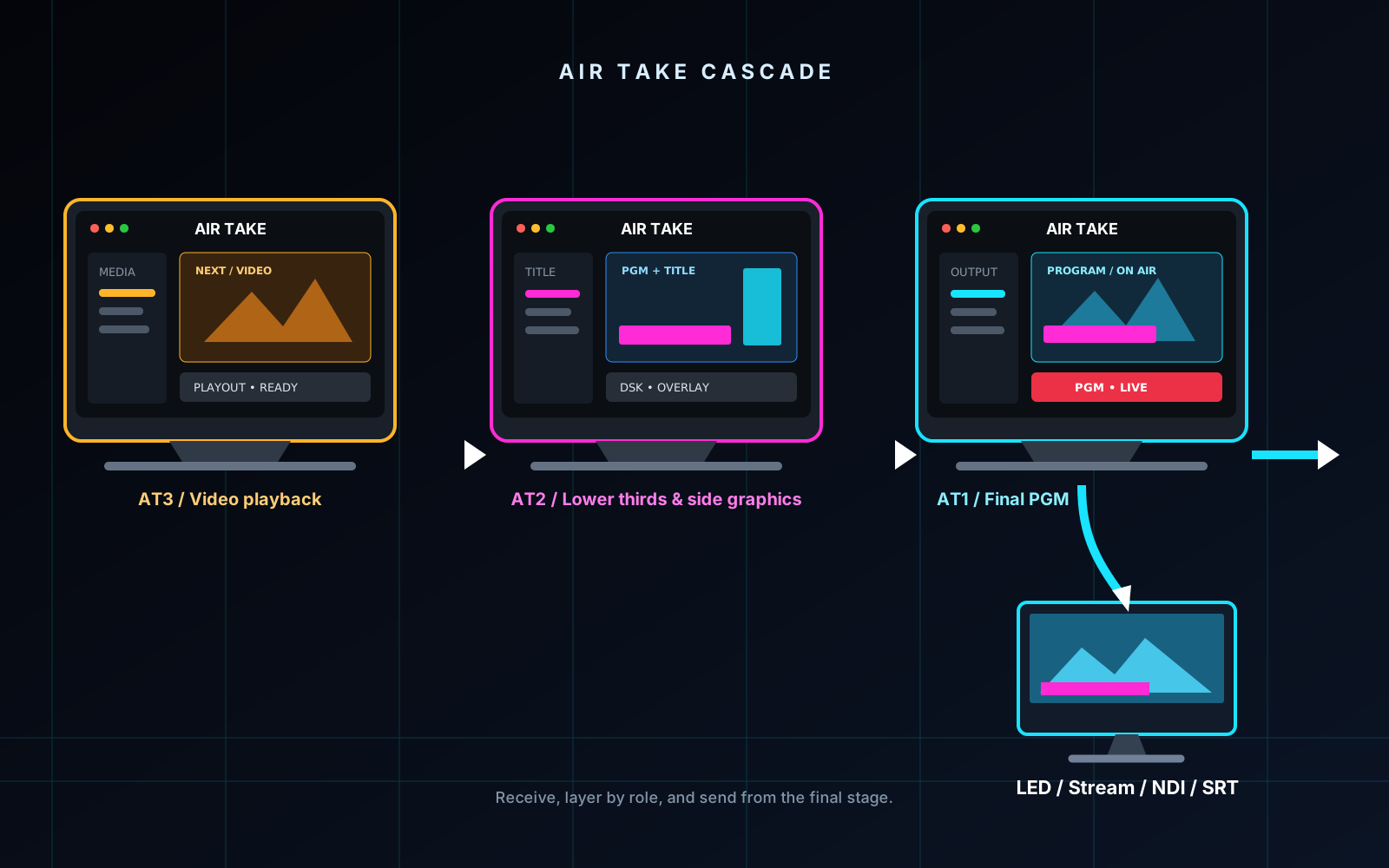
Layering graphics on NDI or SRT feeds and chaining AIR TAKE systems
Cascade or aggregate—make AIR TAKE your final mixer, no hardware switcher needed.
IP INPUT — AIR TAKE 2

LAYER ON ANY FEEDPut your graphics
on any incoming feed.

Pick an NDI source or listen for SRT, and use that feed as the PROGRAM background. Your graphics and DSK go on top, and every output—SDI, display, NDI, SRT—carries the same picture.※10

  • Cascade: take the previous stage's finished picture as your background (AT3 → AT2 → AT1)
  • Aggregate: receive a background (NDI or SRT) and another AIR TAKE's transparent graphics (NDI) together
  • Layer order: background → PROGRAM → transparent graphics → DSK
  • Won't let you pick the same NDI source as both the background and the transparent graphics, which would create a video loop
AIR TAKE REMOTE FOR iPAD — AIR TAKE 2

TAKE IT FROM YOUR HANDSYour take buttons,
on an iPad.

Control AIR TAKE 2 on the same LAN or VPN with the free AIR TAKE Remote app. Scan the QR code shown on the Mac and you're connected. Only playout status and commands are exchanged—no video.※11
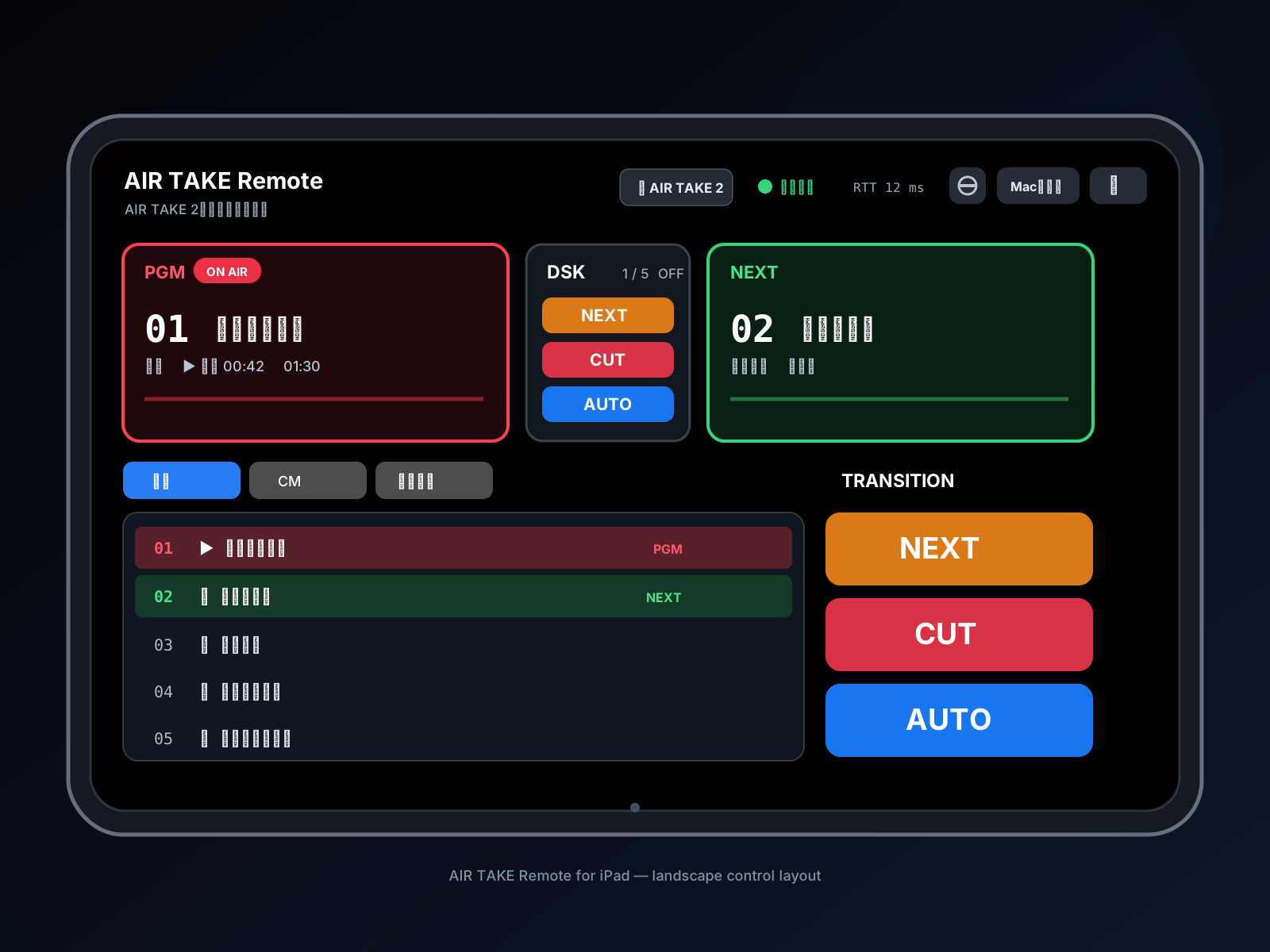
  • Transition NEXT, CUT and AUTO, plus DSK NEXT, CUT and AUTO
  • Choose NEXT, switch groups (tabs), see PGM/NEXT names and time remaining
  • Won't take if what you saw no longer matches the Mac
  • Locks out takes if the connection drops, and reconnects automatically
  • Portrait or landscape, PGM/NEXT on either side, optional thumbnails
AIR TAKE Remote on an iPad controlling AIR TAKE 2
AIR TAKE Remote for iPad (free). Coming soon to the App Store. The app's interface is currently in Japanese.
AIR TAKE 1 & 2

IN BOTH EDITIONSPlayout features in both editions.

Fill and key over SDI, one-click chroma key, transparent NDI to OBS, scopes and keyboard playout are available in both AIR TAKE 1 and AIR TAKE 2.

01 / LOAD BALANCE

Output load, balanced automatically

When SDI or the second display runs alongside OBS, the OBS frame rate is automatically halved so your main output keeps priority (in AIR TAKE 2, when SDI or another output turned on before OBS is running and the rate is above 30p). Autosave (every 30 seconds by default) and an as-run log included.※1※7

02 / CHECK & TAKE

Check in NEXT, take to PROGRAM

Check fill and key on the waveform and vectorscope, then take, cut or panic from the keyboard.※5

03 / ONE CLICK CHROMA

Chroma key in one click

No fill-and-key hardware? One click turns the second display's background green, so you can key the HDMI feed downstream—without touching your transparent PNG or PSD files.※1

OUTPUT

THE RIGHT KEY FOR YOUR SETUPKey it the way your setup needs.※1

Have fill-and-key hardware? Use SDI. If not, key the green-background HDMI output instead. For OBS, send transparent video over NDI. Every output carries the same PROGRAM—you can't send different graphics to different outputs.

01

SDI / SWITCHERFill and key to your switcher

Output separate fill and key signals from a Blackmagic Design DeckLink card straight into your switcher’s keyer.※2※4

  • 8-bit fill + key / 10-bit fill + key
  • Straight or premultiplied key
  • PROGRAM audio embedded in SDI
02

NDI / OBSTransparent graphics for the stream

Send transparent video and audio over your network to OBS or vMix—on the same Mac or another machine.※3

  • Alpha channel included
  • Follows the output fader and reference tone
  • The direct-download (DMG) version also supports Syphon; the App Store version is NDI only
03

HDMI / CHROMA KEYKey without fill-and-key hardware

One click fills the transparent areas on the second display with green. Key the HDMI feed on your switcher or any downstream device.

  • No need to make a green-background version of your artwork
  • Doubles as a venue screen or confidence monitor※1
TRANSPARENT MEDIA / CHROMA

NO GREEN-SCREEN FILE PREPStop making green-background copies.

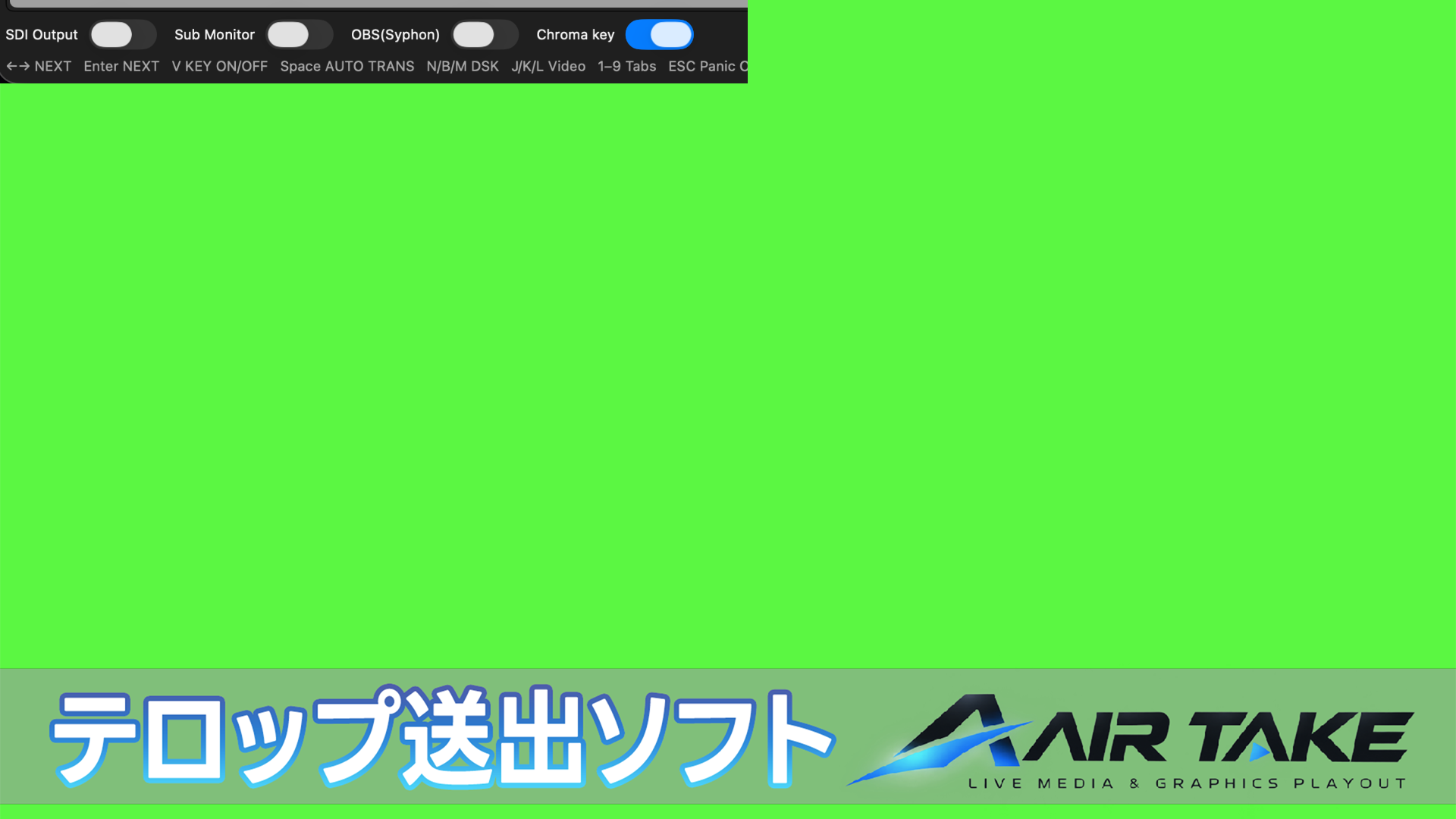
Drop in your transparent PNG or PSD lower thirds as is. Without fill-and-key hardware, just switch on “Chroma Key” for the second display: its transparent areas turn green, ready to key downstream over HDMI.

No extra editing, no second export. Your graphics and take timing stay the same on every output—only the second display's background changes.
01 / IMPORTLoad your transparent PNG or PSD as is
02 / ONE CLICKSwitch on Chroma Key for the second display
03 / HDMIKey it on your switcher or receiver
Example second-display output with Chroma Key on: AIR TAKE graphics over a green background.
Second-display output with Chroma Key on: transparent areas are filled with green for HDMI.
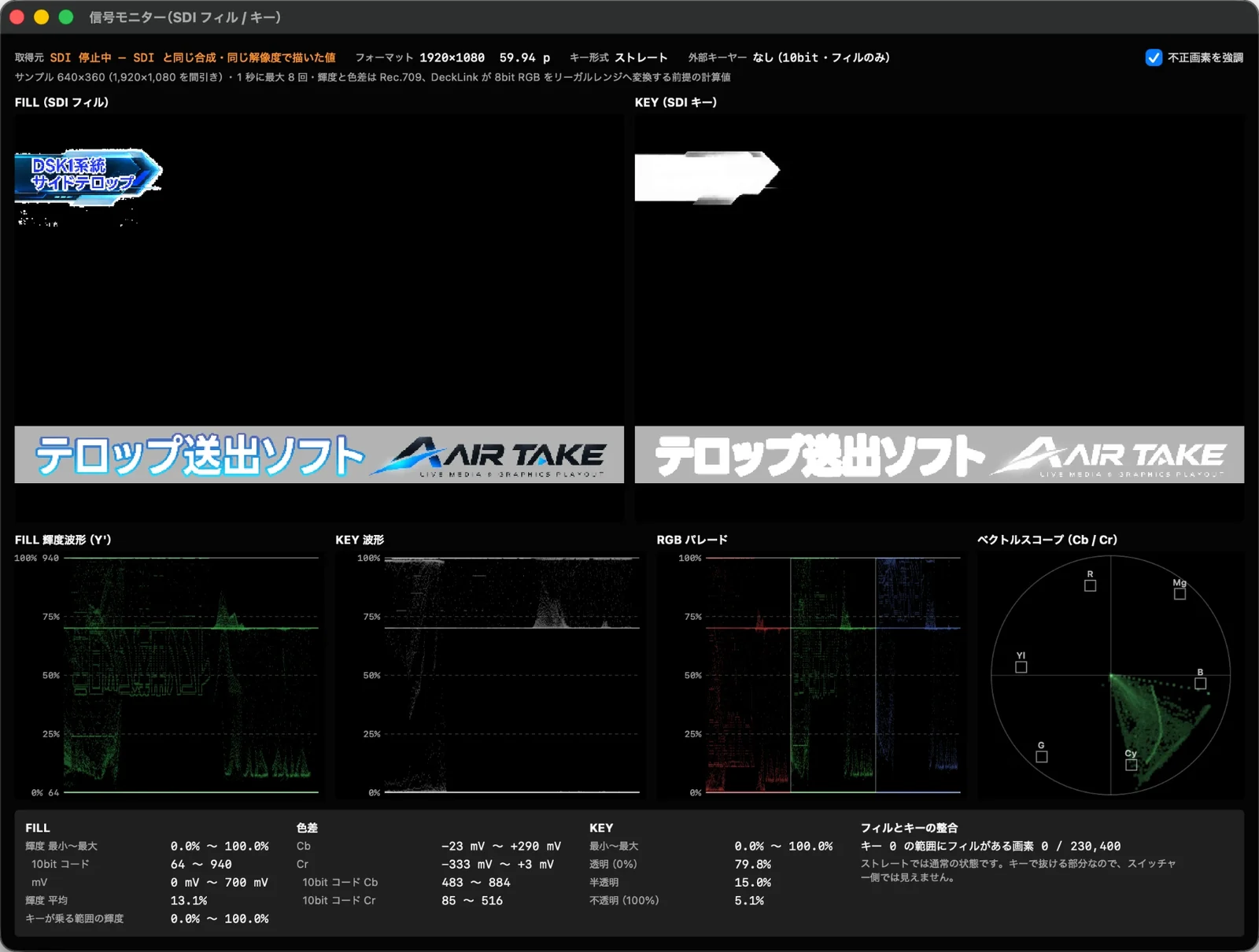
Signal monitor: SDI fill and key, luma waveform, key waveform, RGB parade and vectorscope.
SIGNAL MONITOR

SEE WHAT GOES DOWN THE WIRESee exactly
what you're sending.

Check the fill and key headed to SDI on built-in waveforms and scopes—before you go on air.※5

  • Luma waveform, key waveform, RGB parade, vectorscope
  • Readouts in 10-bit code values and mV
  • Flags illegal pixels—for example, fill where the key is zero
  • Test patterns and reference tone (1 kHz −20 / −18 dBFS, L/R ident)
KEYBOARD DRIVEN

HANDS ON THE KEYS, EYES ON THE SHOWRun the show from the keyboard.

Your most-used actions are one keystroke away—take, cut and panic, all from the keyboard.

SPACETakeWith a transition; press again to take it out
RETURNCutStraight to the next item
VKEY ON / OFFToggles the PROGRAM key only; audio is muted while it's off
ESCPanicImmediately stops all layers and audio, including IP input and DSK

← → Select NEXT N / B / M DSK J / K / L Shuttle video ⇧J / ⇧L 10% speed steps, including above 100% and reverse 1–9 Switch tabs ⌘1–9 Assign transitions
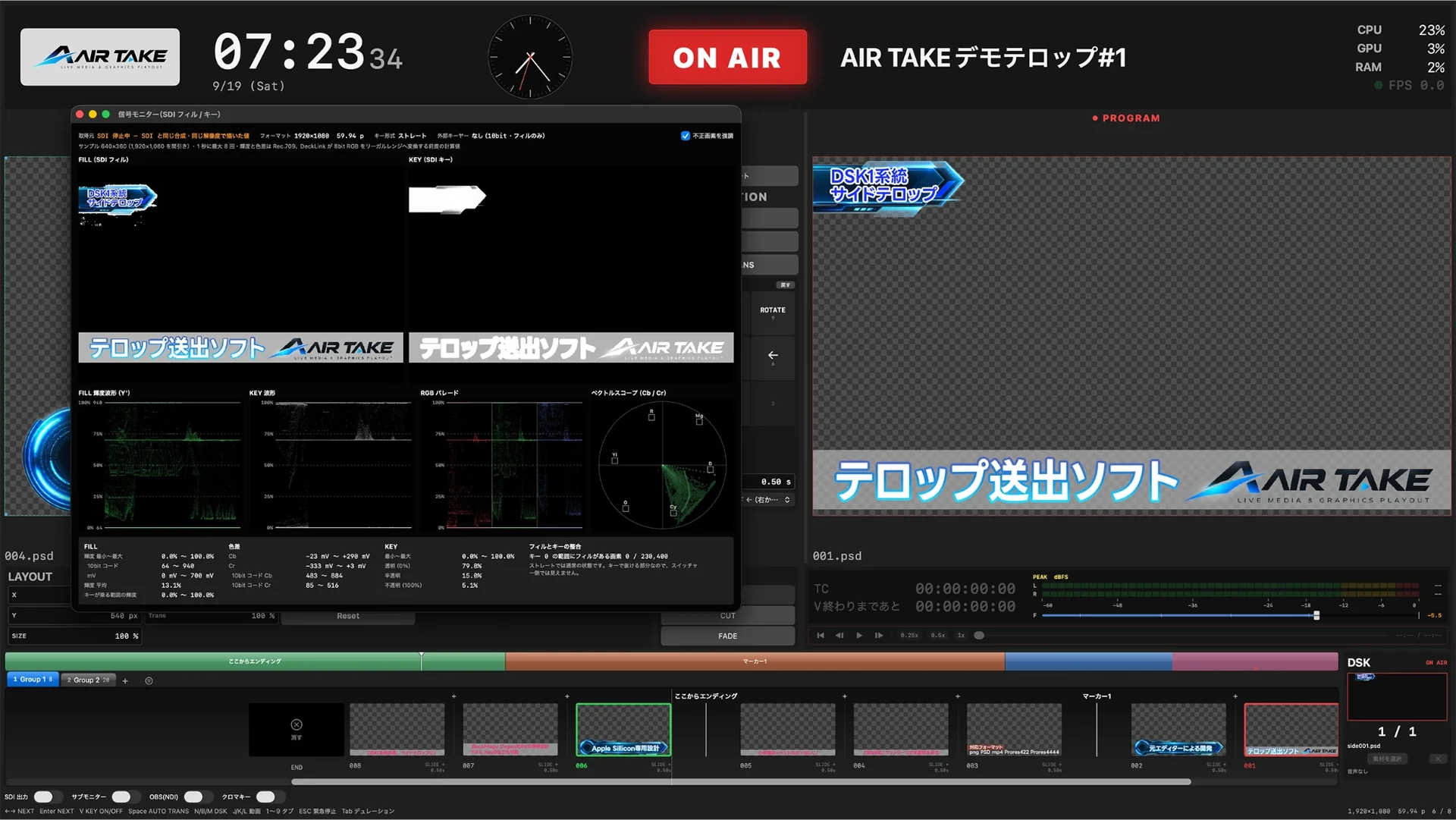
AIR TAKE on air with the signal monitor open
BUILT FOR THE SHOW

BUILT FOR CONTROLPrep, run and review the show in one app.

DSK, media management, autosave and an as-run log—prep the show, run it and review what aired, all in one app.

9 transitionsCut, fade, slide from four directions, zoom, dive and rotate—set per item, each with its own duration.
DSKKeep a logo or show title on PROGRAM while you change graphics underneath.
Tabs and markersOrganize by segment or guest. Switching tabs never affects what's on air.
FormatsPNG and PSD stills; ProRes 4444 / 422 and MP4 movies. Alpha supported.※6
Video playbackShuttle, slow motion, looping and a remaining-time countdown.
Level metersPROGRAM audio in dBFS, with an output fader and reference tone.
Autosave and recoverySaves automatically every 30 seconds by default (adjustable from 10 seconds to 5 minutes). If the app crashes, pick up from the last save. Projects also keep versioned backups.※7
As-run logA record of what aired, and when.
PRICING

MONTHLY OR ONE-TIMEPay monthly, or buy it once.

Both editions are available monthly or as a one-time purchase. The free trial is available now and includes every feature—try your real workflow with your own gear before you buy. Prices are in Japanese yen (JPY), and you are charged in yen. US dollar amounts are approximate—your card issuer sets the final converted amount and may add a foreign transaction fee. App Store prices appear in your local currency.

EDITION

AIR TAKE 1

For SDI, chroma key and OBS playout

¥980/ month
¥9,800one-time

≈ US$6 / month · ≈ US$60 one-time

  • SDI fill + key (8-bit / 10-bit)
  • Second display with one-click chroma key
  • NDI (transparent + audio) to OBS
  • Syphon to OBS (direct-download version only)
  • Scopes, autosave and as-run log
  • macOS 15 or later (Apple silicon or Intel)
Download free trial FREE · DMG

Every feature included (output is watermarked with an ×)

Buy on our website MONTHLY · ONE-TIME

Monthly plans renew automatically. Cancel any time and keep using it until the end of the paid period.

Mac App Store MONTHLY · COMING SOON

The App Store version sends to OBS over NDI only (no Syphon)

iPad APP

AIR TAKE Remote

Control AIR TAKE 2 from an iPad

¥0
  • Transition and DSK NEXT, CUT, AUTO
  • Choose NEXT, switch groups
  • Connect by QR code (same LAN / VPN)
  • iPadOS 17 or later · interface in Japanese
INSTALL

HOW TO STARTGetting started with the trial

  1. Open “AIR_TAKE_v225.dmg” (on an Intel Mac, “AIR_TAKE_v1.2121.dmg”) and drag “AIR TAKE” to “Applications”.
  2. Open AIR TAKE from your Applications folder. The app is notarized by Apple; depending on your security settings, macOS may ask you to confirm the first time you open it.
  3. For SDI output, install Blackmagic Desktop Video (free) and restart your Mac.
  4. To use NDI—sending to OBS, or receiving NDI video in AIR TAKE 2—install NDI Tools on this Mac (not needed for the App Store version). Install the DistroAV plugin in OBS.
  5. To control it from an iPad, turn on Remote Control in AIR TAKE's settings, then scan the QR code shown on the Mac with AIR TAKE Remote.

If you buy on our website, just enter your license key in the trial to unlock it—no reinstall needed. For the App Store monthly plan, install the app from the App Store. The Mac app is available in English and Japanese.

AIR TAKE 1AIR TAKE 2
SDI (8-bit / 10-bit fill + key)●●
Second display with one-click chroma key●●
NDI to OBS (transparent + audio)●●
Syphon to OBS (same Mac)Direct-download onlyDirect-download only
Scopes, autosave, as-run log●●
SRT output (H.264/AAC, AES encryption)—●
IP input (NDI / SRT), cascade, aggregation—●
iPad control with AIR TAKE Remote—●
Vertical / 8K canvases (full-res NDI)—●
Lower thirds from CSV / JSON—●
OSmacOS 15 or later (Apple silicon / Intel)macOS 15 or later (Apple silicon)
Monthly¥980 (website / App Store)¥1,980 (website / App Store)
One-time¥9,800 (website)¥39,800 (website)
SPECS

REQUIREMENTSRequirements

OS
AIR TAKE 2: macOS 15 or later on a Mac with Apple silicon
AIR TAKE 1: macOS 15 or later (Apple silicon or Intel). Apple silicon recommended for 4K and for running several outputs at once※1
SDI OUTPUT
A Blackmagic Design DeckLink device and Blackmagic Desktop Video (free)
NDI OUTPUT
The DistroAV plugin in the receiving OBS. The direct-download (DMG) version also needs NDI Tools on the sending Mac※3
SRT OUTPUT
SRT caller, H.264 Main + AAC-LC 48 kHz stereo (MPEG-TS), 24 / 29.97 / 30 / 59.94 / 60 fps, AES encryption and Stream ID. Up to 3840×2160 (larger canvases are scaled down)※9
IP INPUT
NDI (choose a source on your LAN; the direct-download version needs NDI Tools) or SRT (listener on this Mac). The feed becomes the PROGRAM background※10
iPAD REMOTE
AIR TAKE Remote (free, iPadOS 17 or later, interface in Japanese) on the same LAN or a VPN (such as Tailscale). Up to 4 iPads at once※11
FORMATS
HD 1080 / 720, UHD 4K, DCI 2K / 4K, 23.98–60p (as supported by your device)※2. AIR TAKE 2 also supports vertical (1080×1920, 1080×1350, 1080×1080), custom and UHD 8K canvases (SDI limited to modes your device supports)
MEDIA
Stills such as PNG and PSD; movies such as ProRes 4444 / 422 and MP4 (alpha supported)
LANGUAGE
English and Japanese

Technical information SYSTEM REQUIREMENTS · NDI BANDWIDTH · DATA RATES

NOTES

  1. ※1AIR TAKE has a single PROGRAM output, so the graphics and take timing are the same on every connection. Only the second display can use a green background. Performance when running several outputs at once depends on your Mac, the output resolution and frame rate, and the type and number of media files. Apple silicon is recommended for 4K and for running several outputs at once. In AIR TAKE 1, OBS output (NDI / Syphon) is limited to 1080p, and while SDI or the second display is running its frame rate is automatically halved so that SDI keeps priority. In AIR TAKE 2, SDI has priority whenever it is running; without SDI, the first output turned on gets priority. OBS rates above 30p are halved while SDI or another output turned on before OBS is running. NDI keeps the canvas's own resolution.
  2. ※2Which formats and frame rates are available, and whether fill and key can be output separately, depends on your DeckLink device and its driver (Desktop Video). In 10-bit, fill and key are also output separately.
  3. ※3Depending on your network (bandwidth, congestion, firewalls) and the receiving software or plugin, NDI may show latency, dropouts or reduced quality. A wired Ethernet connection is recommended.
  4. ※4How cleanly the key cuts depends on your switcher’s settings (key type, clip and gain, etc.).
  5. ※5Signal monitor readings are calculated from the output image and are for reference only. For formal measurements such as broadcast compliance checks, use dedicated test equipment.
  6. ※6Supported video formats and codecs depend on your macOS version. 4K or high-bitrate media may drop frames, depending on your Mac and how fast the drive holding the media is (external and network drives, for example).
  7. ※7Autosave runs every 30 seconds by default (you can choose 10 seconds, 60 seconds or 5 minutes in Settings). Changes made after the last autosave may be lost. Recovery is not guaranteed after every kind of crash.
  8. ※9SRT output is an AIR TAKE 2 feature and needs an SRT receiver (listener) at the destination. Latency, dropouts and quality depend on the link and the receiver. SRT video is limited to 3840×2160; larger canvases are scaled down.
  9. ※10IP input is an AIR TAKE 2 feature. The incoming feed is used as a background; its audio is not played or passed through. SRT can't carry transparency (alpha), so use NDI to receive transparent graphics. How many feeds and what resolution you can handle depends on your Mac and network.
  10. ※11AIR TAKE Remote works with AIR TAKE 2 (coming soon to the App Store). It connects only within the same LAN or VPN—no ports are opened to the internet. The iPad doesn't show the program video (item names and status, plus thumbnails if you turn them on). Takes are locked out while the connection is unstable.
  11. ※8AIR TAKE has been tested with typical setups, but we can't guarantee it will work with every piece of equipment or in every environment. Before using it in a live production, always test the trial with your actual equipment, network and media, and have a backup playout plan ready. Our liability is governed by the Terms of Use.

Before using AIR TAKE in a live production, test it thoroughly with your actual equipment and have a backup playout plan ready. See the Terms of Use.

FAQ

Questions about Mac playout software

What is image and video playout software?

Playout software sends prepared images, videos and lower thirds to a screen at the moment you need them. AIR TAKE lets you arrange media on a Mac, check it in NEXT and take it to PROGRAM from the keyboard.

Can I send images and video to an event screen?

Use the second-display output to show media on an external display or event screen connected to your Mac. AIR TAKE supports stills such as PNG and PSD, and movies such as ProRes and MP4. Formats depend on your Mac, connected hardware and codecs.

Can I send transparent lower thirds to OBS?

NDI sends video with alpha and audio to OBS. The website DMG edition also supports Syphon for OBS on the same Mac. NDI requires NDI Tools on the sending Mac and DistroAV in OBS; the App Store edition does not require NDI Tools on the sending Mac.

Does AIR TAKE support SDI fill and key?

Both editions can output fill and key separately through supported Blackmagic Design DeckLink hardware. Available 8-bit or 10-bit formats depend on the device and Desktop Video driver.

Can I create graphics and templates on my Mac?

AIR TAKE 2 includes still, motion and node-based template editors. It provides 116 standard motion presets across six genres, 100 background templates and 16 news templates.

How do AIR TAKE 1 and AIR TAKE 2 differ?

AIR TAKE 1 provides SDI, second-display, NDI and Syphon playout. AIR TAKE 2 adds SRT output, NDI/SRT input, template creation, CSV/JSON import, vertical and 8K canvases, and remote control. Both require macOS 15 or later. AIR TAKE 2 requires Apple silicon; use AIR TAKE 1 on Intel Macs.

Is there a free trial?

The free trial includes every feature, with a red × watermark on the output. Register a license purchased on the website to use the same app as the licensed edition. See pricing for monthly and one-time options.

READY TO GO ON AIR

From ¥980 a month, on to your next show.

SDI, SRT or an iPad in your hand—try them with your own gear and network in the free trial.※8

The free trial includes every feature (output is watermarked with an ×). On an Intel Mac, use the AIR TAKE 1 trial.